AIP Logic Overview
7/21/2026, 5:37:51 PM · Source
AIP Logic is a no-code platform for building LLM-powered functions that integrate with your Ontology to automate tasks like data extraction, conflict resolution, and supply chain optimization without coding complexity.
AIP Logic is a no-code development environment for building, testing, and releasing functions powered by large language models (LLMs). It enables application builders to create feature-rich AI-powered functions that leverage the Ontology without the typical complexity of traditional development environments and API calls.
Overview
Using Logic's intuitive interface, you can engineer prompts, test and evaluate results, monitor performance, set up automation, and more. AIP Logic supports a wide range of use cases, including:
- Automating and supporting critical tasks
- Connecting key information from unstructured inputs to your Ontology
- Resolving scheduling conflicts
- Optimizing asset performance by finding the best allocation
- Reacting to disruptions in your supply chain
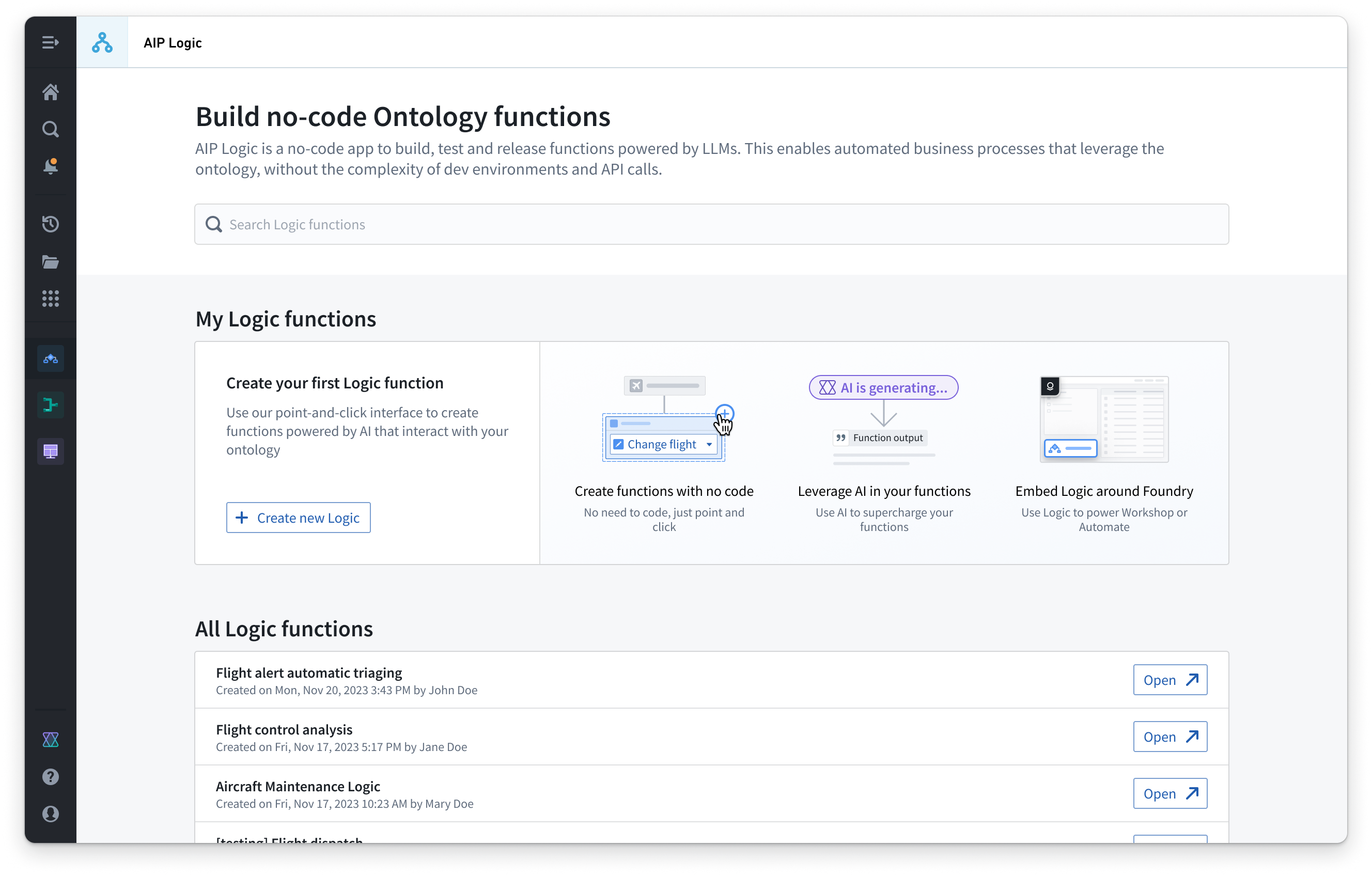 Introductory screen for AIP Logic, containing a button to create new Logic and a space listing your Logic functions.
How Logic Functions Work
AIP Logic provides an intuitive interface to leverage the Ontology and LLMs via a Logic function. These functions take inputs—such as Ontology objects or text strings—and can return outputs (objects and/or strings) or make edits to the Ontology.
For example, an LLM-powered function might take input data from an Ontology object and cross-reference that data with a customer email to recommend a solution for a given issue based on previous resolutions:
![One AIP Logic "Use LLM" block which is given a prompt "You are my supply chain helper agent. Find other emails that describe similar events to those described in the input email (at any location). Look only at the email body. Determine the best solution based on what has worked in the past. Return your one solution recommendation, do not list findings from every email." The block has the Query objects tool setup for the "[Titan] Distribution Center Email" object and is provided access to the email content property. The output is set as variable name "recommended solution" in type "primitive, string".](https://www.palantir.com/docs/resources/foundry/logic/block-use-llm-prompt.png) One AIP Logic "Use LLM" block which is given a prompt "You are my supply chain helper agent. Find other emails that describe similar events to those described in the input email (at any location). Look only at the email body. Determine the best solution based on what has worked in the past. Return your one solution recommendation, do not list findings from every email." The block has the Query objects tool setup for the "[Titan] Distribution Center Email" object and is provided access to the email content property. The output is set as variable name "recommended solution" in type "primitive, string".
One AIP Logic "Use LLM" block which is given a prompt "You are my supply chain helper agent. Find other emails that describe similar events to those described in the input email (at any location). Look only at the email body. Determine the best solution based on what has worked in the past. Return your one solution recommendation, do not list findings from every email." The block has the Query objects tool setup for the "[Titan] Distribution Center Email" object and is provided access to the email content property. The output is set as variable name "recommended solution" in type "primitive, string".
Automation Integration
Logic functions can be automated so that Ontology edits can be automatically applied or staged for human review.
Security Model
AIP Logic is built on the same rigorous security model that governs the rest of the Palantir platform, including user and function permissions. These platform security controls grant an LLM access only to what is necessary to complete a task.
Next Steps
Learn more about the core concepts of AIP Logic or get started with building a Logic function.
Learning map
AIP Logic Learning Map
Stage 1: Understand the Fundamentals
- What AIP Logic is and when to use it — Grasp that AIP Logic is a no-code environment for LLM-powered automation, ideal for business users who want AI functions without writing code
- How it connects to the Ontology — Learn how Logic functions consume and modify Ontology objects, making AI accessible within your data model
- Key use cases (data extraction, conflict resolution, optimization) — Recognize common patterns like extracting unstructured data into structured objects, recommending solutions, and automating decision-making
Stage 2: Explore Core Building Blocks
- Logic function structure (inputs, outputs, blocks) — Understand that Logic functions take Ontology objects or text as inputs and return strings, objects, or Ontology edits
- "Use LLM" block and prompt engineering — Learn how to craft effective prompts in the Logic interface, including context injection from Ontology data
- Query objects tool and data access — See how to reference and pass Ontology properties to your LLM prompts securely
Stage 3: Security, Testing, and Automation
- Permission model and data governance — Understand how platform security controls limit LLM access to only necessary data, protecting sensitive information
- Testing and evaluation in Logic — Practice validating Logic function outputs before deployment
- Integration with Automate — Learn how Logic functions connect to Automate for triggered Ontology edits or human review workflows
Get hands-on — step by step
Getting Started with AIP Logic: Hands-On Steps
-
Log in to Palantir Foundry — Open your Foundry workspace and navigate to the AIP Logic application from the main menu or app launcher.
-
Create a new Logic function — Click the "Create new Logic" button on the AIP Logic overview page to start a blank function.
-
Set up function inputs — Define what data your function will receive:
- Click "Inputs" and add parameters (e.g., an Ontology object type like "Email" or a text input for "customer message")
- Save and confirm each input
-
Add a "Use LLM" block — Drag a "Use LLM" block into the Logic canvas from the block library.
-
Configure the LLM prompt — In the "Use LLM" block:
- Write a clear prompt describing the task (e.g., "Extract the customer issue and recommend a solution based on past resolutions")
- Optionally add context by selecting "Query objects" to pull Ontology data
- Bind relevant input fields or Ontology properties to the prompt
-
Set the output — Define what the function returns:
- Click "Output" and choose the output type (string, object, or Ontology edit)
- Map the LLM block's result to the output variable
-
Test the Logic function — Click "Test" and provide sample input data to verify the LLM produces correct outputs.
-
Review and adjust the prompt — If results are incorrect, refine the prompt wording or add more context from the Ontology, then re-test.
-
Deploy the function — Once satisfied, click "Deploy" to make the Logic function available for use or integration with Automate.
-
Optional: Connect to Automate — Go to Automate and create a workflow that triggers this Logic function on events (e.g., when a new email arrives) to automatically update your Ontology.
Top 3 sources
- 1AIP Logic Core Concepts
Official Palantir documentation covering Logic function architecture, blocks, inputs/outputs, and data flow fundamentals.
https://www.palantir.com/docs/foundry/logic/core-concepts/
- 2AIP Logic Getting Started Guide
Step-by-step tutorial from Palantir for building your first Logic function, from creation through testing and deployment.
https://www.palantir.com/docs/foundry/logic/getting-started/
- 3AIP Logic Integration with Automate
Guide to connecting Logic functions with Automate workflows to trigger automated Ontology edits and set up real-world automation pipelines.
https://www.palantir.com/docs/foundry/logic/aip-logic-integration-automate/
Links are AI-suggested — worth a quick sanity check before diving in.